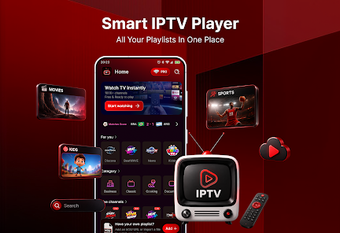
Organized Android player for imported M3U and M3U8 IPTV playlists
Experience Smart IPTV Playlist Player from CoreTools Lab, an Android media client built to play and organize user-supplied IPTV playlists across devices. The app imports M3U and M3U8 playlists by URL or local upload and renders live TV, films, and series with playback controls, Picture-in-Picture, and Chromecast casting. It also offers search, favorites, passcode protection, and a sports schedule tracker, making it suitable for IPTV subscribers who need tidy playlist management and secure access. Optimized for phones and Android TV devices to keep viewing consistent across screen sizes.
How does the app handle imported playlists?
The app accepts M3U and M3U8 playlists via URL or local file upload and presents channel lists with an integrated search and favorites system. Moreover, the sports schedule integration surfaces upcoming event dates and match results alongside channel entries, which helps users who follow live events. Playlist ownership stays with the user; the player does not include or distribute channels and requires authorized playlists to display content.
Does the app affect device performance during streaming?
The app is designed for Android phones, tablets, and Android TV, so playback features such as Picture-in-Picture and Chromecast casting work across screen sizes without additional configuration. In addition, advanced playback controls such as screen lock, volume adjustment, and a sleep timer keep the session contained to the player rather than forcing system-level changes. Note that streaming relies on an active internet connection for content delivery and playback stability.
Is it safe to use and appropriate for playlist owners?
The player includes passcode protection to secure private channel categories, which reduces casual access to sensitive playlists. Moreover, because the application is a client-only player, users must import authorized lists before viewing; this separation reduces legal exposure from bundled content. The clean, calm interface aims to simplify navigation through large playlists, but users should verify playlist sources before importing to avoid malformed entries or broken streams.
Practical choice for playlist owners who need organized playback
The app is a practical option for IPTV subscribers who already hold authorized M3U/M3U8 playlists and want stable, castable playback on Android devices; its main caveat is dependence on the quality and availability of imported playlists. For smoother setup, test a small playlist sample and enable passcode protection for private categories before importing large catalogs.